
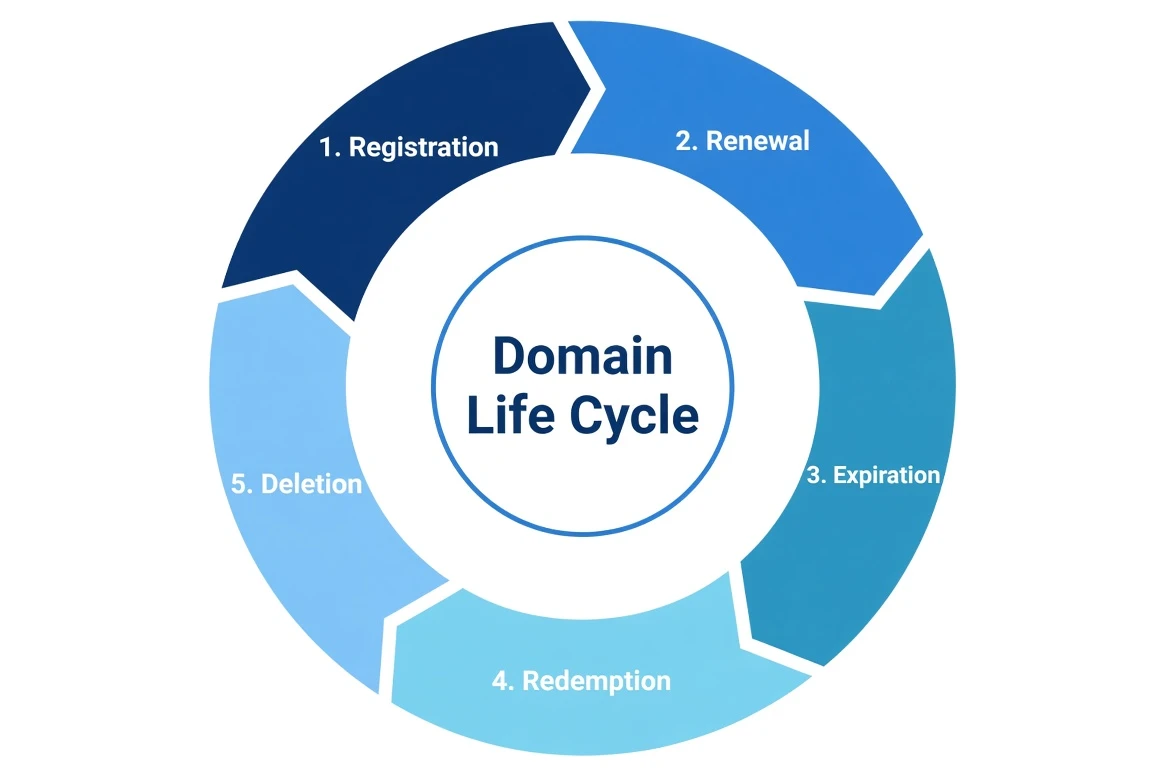
A domain doesn’t blink out of existence the day it expires. It falls through a sequence of well-defined stages, each with its own rules about who can recover the name and what it costs. If you’re the owner who forgot to renew, knowing this timeline is the difference between a $10 late renewal and a $200 redemption fee, or losing the name entirely. If you’re trying to acquire an expiring name, it tells you exactly when (and whether) you’ll get a shot.
Here’s the whole path, stage by stage, with the day counts that actually apply to most gTLDs like .com, .net, and .org.
The timeline at a glance
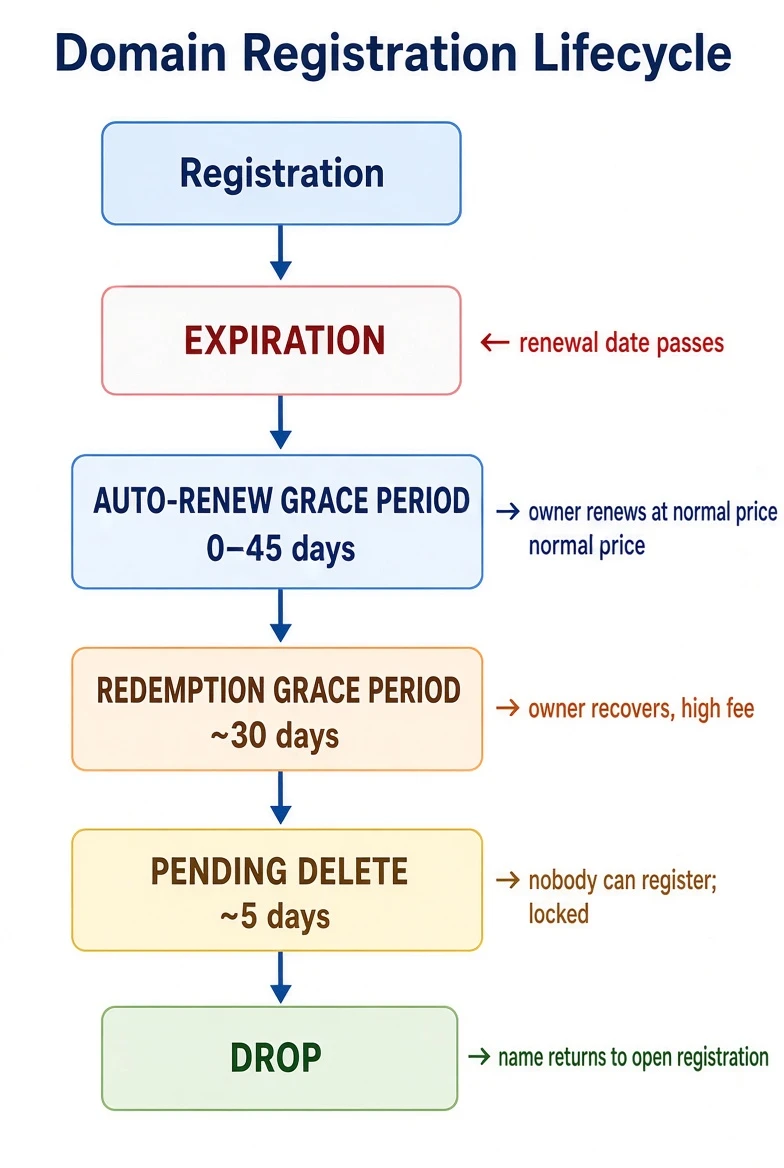
Stage 1, Expiration and the auto-renew grace period (0–45 days)
The domain’s registration date passes without a renewal. The name doesn’t immediately stop working, and it’s very much still the registrant’s.
- What happens: Most registrars auto-renew by default, or place the domain into an Auto-Renew Grace Period of up to 45 days (the exact length is set by the registrar within registry rules). During this window the site may keep resolving, or the registrar may park it on a “this domain expired” landing page.
- Who can recover it: Only the original registrant, and typically at the normal renewal price. This is the cheap, easy window. Renew now and it’s as if nothing happened.
- The catch: Many registrars start layering on urgency and, near the end of the window, late renewal fees. Don’t count on the full 45 days at base price, check your specific registrar.
If you want the name: you can’t have it yet. It still belongs to the current owner, who holds all the recovery rights.
Stage 2, Redemption Grace Period (~30 days)
If the owner still hasn’t renewed, the registrar deletes the domain from its side, and the registry places it into the Redemption Grace Period (RGP), lasting about 30 days.
- What happens: The domain stops resolving entirely. DNS is pulled; the site and email go dark. In RDAP/WHOIS the status reads
redemptionPeriod. - Who can recover it: Still only the original registrant, but now it’s expensive and manual. Recovery means asking the registrar to redeem the name, which usually carries a redemption fee of $80–$200+ on top of the renewal. It’s deliberately punitive; ICANN designed RGP so accidental expirations can be undone, not so names cycle cheaply.
- Who can’t: No one else. The name is not available to register. Any “backorder” you place is just a queued request for later, you cannot take it now.
This is the last exit for the owner. Miss redemption and the name is effectively gone from your control.
Stage 3, Pending Delete (~5 days)
Redemption lapses. The registry moves the domain to Pending Delete, a fixed period of about 5 days.
- What happens: The name is locked and inert. Status reads
pendingDelete. - Who can recover it: Nobody. Not the former owner, not a new registrant. There is no action anyone can take during these five days. It’s a countdown.
- Why it matters: Pending Delete is the starting gun for the drop-catching industry. Because the period is a fixed length, the exact moment the name will drop is predictable to the second, and that predictability is the whole game for the people who want it.
Stage 4, The Drop
At the end of Pending Delete, the registry deletes the name and returns it to the available pool. In that instant, it’s registrable by anyone on a first-come, first-served basis.
For an unremarkable name, it just quietly becomes available and you can register it normally. For a desirable name, “first come” is a war fought in milliseconds.
Where the name can be recovered vs. caught, the summary
| Stage | Duration | Former owner | Anyone else |
|---|---|---|---|
| Auto-renew grace | 0–45 days | ✅ Recover at normal price | ❌ |
| Redemption (RGP) | ~30 days | ⚠️ Recover, high fee | ❌ |
| Pending delete | ~5 days | ❌ | ❌ |
| Drop | instant | — | ✅ First come, first served |
The single most useful takeaway: for roughly the first ~75 days after expiry, only the original owner can get the name back. Everyone else is waiting for the drop. If you’re monitoring a name you want, what you’re really tracking is when it will reach the end of pending delete, the only moment it becomes catchable.
Drop-catching: how “first come” really works
When a valuable name drops, thousands of registrations may be attempted in the first second. The players who win are drop-catch registrars, companies that hold many ICANN registrar accreditations specifically so they can fire enormous volumes of registration attempts at the registry the microsecond the name releases. Services like SnapNames, DropCatch, and Pool.com operate exactly this way.
As a normal buyer, you don’t compete with them by hand. You place a backorder with one of these services before the drop. If they catch it and you were the only backorderer, you get it at their base price. If multiple people backordered the same name, it goes to a private auction among those backorderers.
Where auctions come in
There are really two distinct auction markets, and they attach to different points in the lifecycle:
1. Expired-domain auctions (registrar-run, before the drop). This is the big one. Rather than let valuable expiring names fall to third-party drop-catchers, large registrars auction them off during the expiry window, while the name is still technically the lapsed owner’s, in that grace/redemption zone.
- GoDaddy Auctions is the largest expired-domain marketplace. Names that expire at GoDaddy (and partner registrars) flow into public auctions before they’d ever reach pending delete. Win the auction and GoDaddy renews the name into your account, it never actually drops.
- Namecheap Market (and its Marketplace/auction features) similarly lists expiring and aftermarket names.
- Because these auctions capture the name before the public drop, they’re where most genuinely good expiring domains actually change hands. By the time an unremarkable name reaches an open drop, the desirable ones have usually already been auctioned.
2. Aftermarket / listed auctions (owner-initiated, anytime). Separately, current owners list names they choose to sell on marketplaces like Sedo, Afternic, Dan.com, and again Namecheap and GoDaddy’s markets. These have nothing to do with expiry, they’re just a seller meeting a buyer, sometimes via fixed “buy it now” price, sometimes via timed auction.
The practical mental model: desirable expiring names get intercepted by registrar auctions before the drop; only the leftovers reach the true open-registration drop; and separately, owners auction names by choice on the aftermarket at any time.
Putting it to use
- If you own a name you might let lapse: you have ~45 days at normal price, then ~30 more at a steep redemption fee. After that it’s gone. Don’t rely on the outer edges of those windows, registrar policies vary and fees appear early.
- If you want to acquire an expiring name: first check whether it’s in a registrar’s expired-domain auction (GoDaddy/Namecheap), that’s where you’ll most likely actually get it. If not, place a backorder and understand you may face a private auction. Only truly unwanted names reach a clean open drop.
- If you’re monitoring: the signal that matters is the transition into
pendingDeleteand its ~5-day countdown, which pins the exact drop time.
Every one of these stages is visible in a domain’s registration record. You can watch a name move from active → redemptionPeriod → pendingDelete in real time with a WHOIS lookup, and confirm whether it’s resolving (still live) or dark (past redemption) with a DNS lookup. Watching a whole list of names for the moment they become registrable is exactly what the Bulk Domain Availability Checker and the DomainDuck API are built to automate, poll the list, catch the status change, act on the drop.